AMC and service
An AMC (annual maintenance contract) is an agreement to service a client's equipment over a period, usually a year, for a fixed fee. ClientOS tracks the contract, the equipment it covers, the visits due, when to bill, and when to renew. Service reports record what happened on each visit.
AMC lives under AMC & service in the left menu.
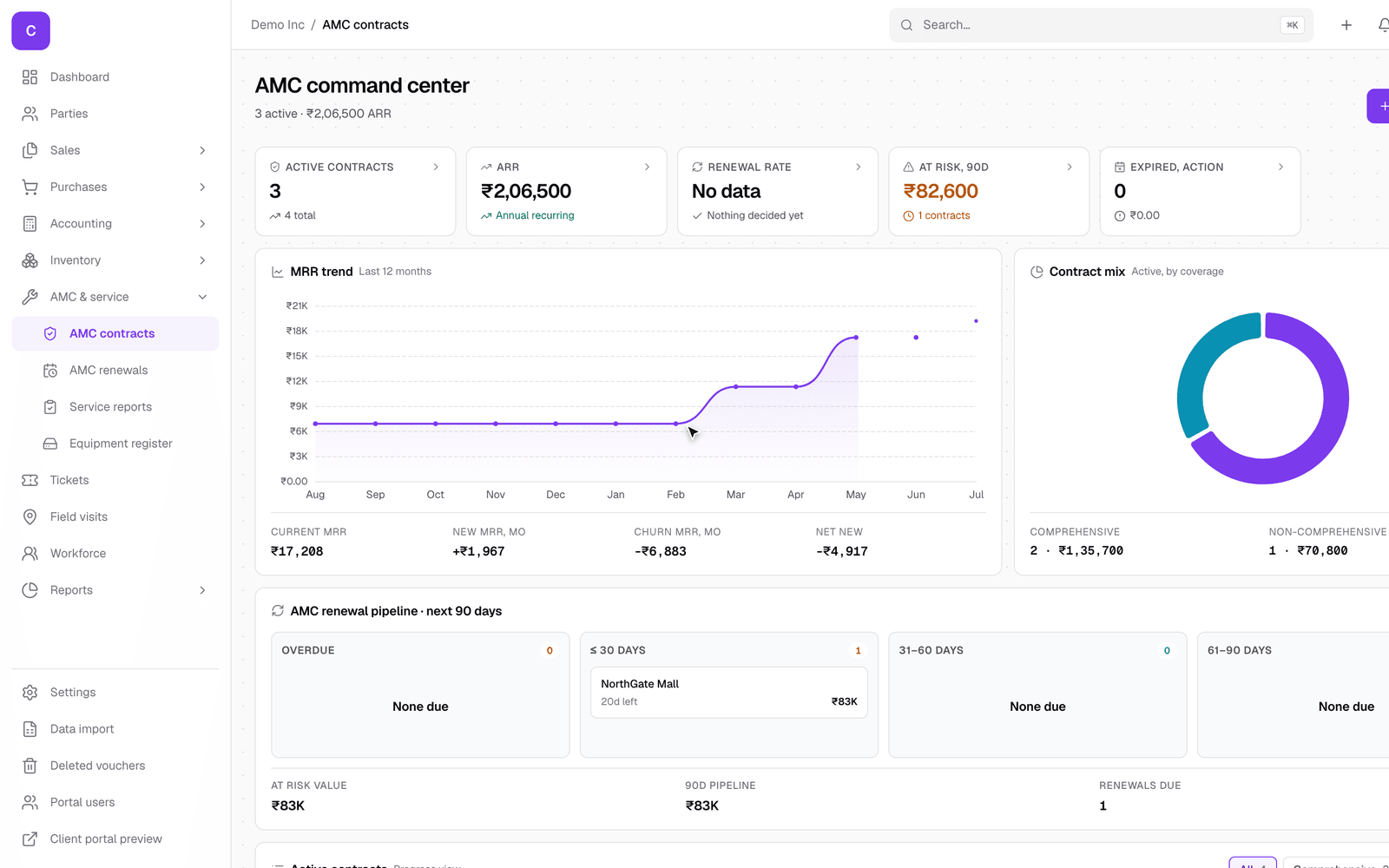
The AMC command center
The AMC landing page is a dashboard: how many contracts are active, their recurring value, the mix of coverage types, and which ones are coming up for renewal. It is the quickest way to see the health of your service business at a glance, and to spot renewals before they lapse.
A contract
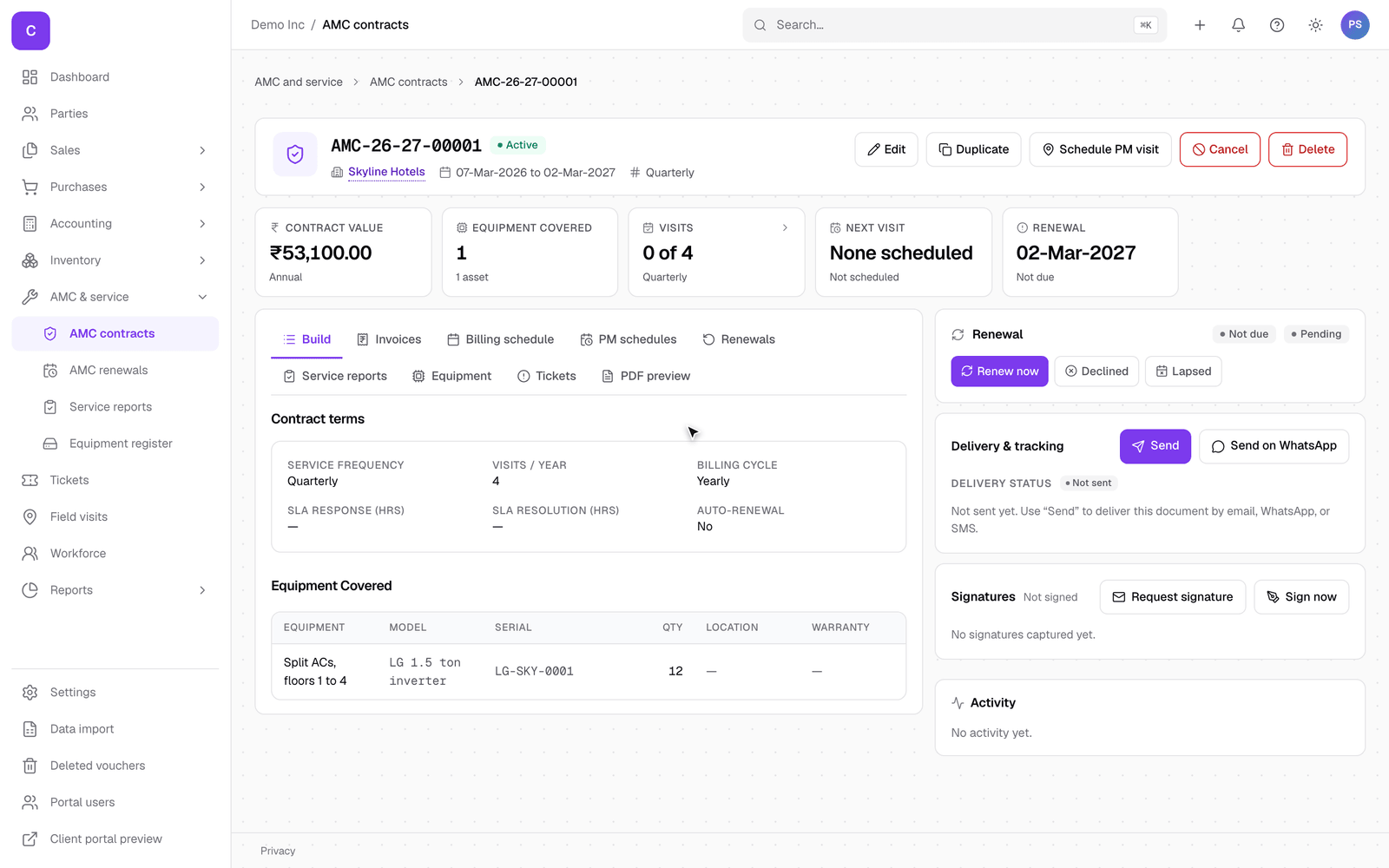
Click a contract to open it. The header shows the contract value, equipment covered, visits done out of the total, the next visit, and the renewal date at a glance, and the tabs below hold the detail:
- Contract terms: the period, the fee, the service frequency, visits per year, the billing cycle, and any SLA response and resolution times.
- Equipment covered: the machines under contract, each with its model, serial and location. You add equipment right on the contract.
- Billing schedule and PM schedules: when each instalment is due, and the preventive-maintenance visits. Use Schedule PM visit on the header to book a visit.
- Renewals: where the contract sits in its renewal journey. The Renewal panel on the right has Renew now for when the end date nears.
Renewals
As a contract nears its end date, it moves into the renewal pipeline and is flagged on the command center. Work the renewals list under AMC & service so nothing lapses silently; each contract shows how many days are left and its renewal stage.
Service reports
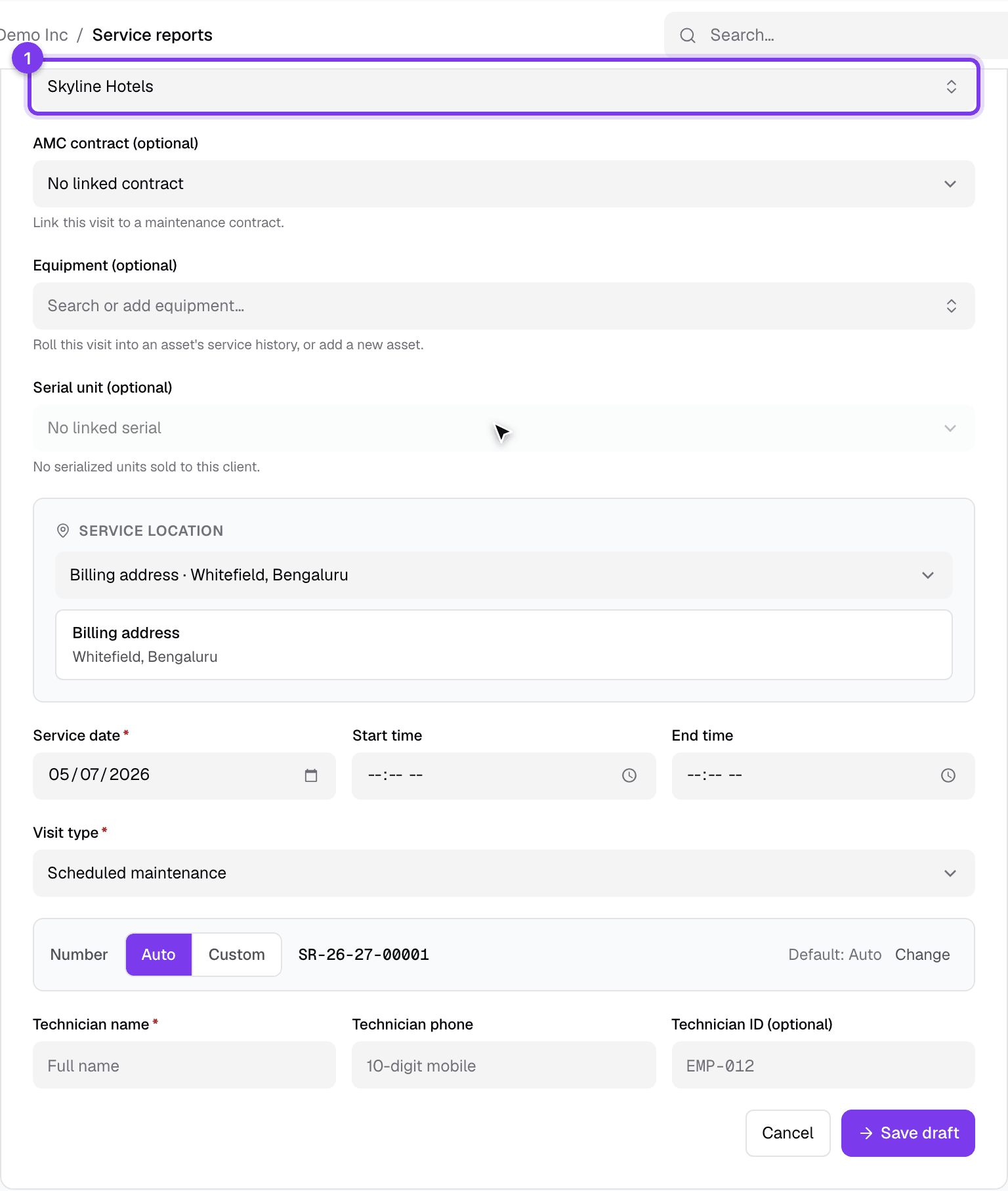
A service report records a visit: who went, when, what equipment they worked on, and the outcome. Open AMC & service, then Service reports, and click the new button:
- Pick the client and, if the visit is under a contract, the AMC contract. The equipment and serial choices then narrow to what that client and contract cover.
- Record the service date, the visit type (scheduled maintenance, a breakdown call, and so on), the start and end times, and the technician.
- Click Save draft. The next screen is where you fill in the diagnosis, the work done, any parts used, and the customer's sign-off. The report is filed against the client and, when linked, the contract, so the full service history is always in one place.
Good to know
- The number of visits a contract includes, and how many are left, is tracked for you as reports are filed.
- Coverage type (comprehensive versus non-comprehensive) is on the contract, so you know at a glance whether parts are included.
- A contract can be created from an accepted quotation that has a service line, so a quote for a maintenance plan becomes a live contract in one step.