Field visits
A field visit is a scheduled trip to a client's site: a maintenance call, an installation, a repair. Visits let you plan an engineer's day, track a job from dispatch to completion, and capture what was done and the client's sign-off on site.
Field visits are under Field visits in the left menu, with a calendar view for planning the week.
Scheduling a visit
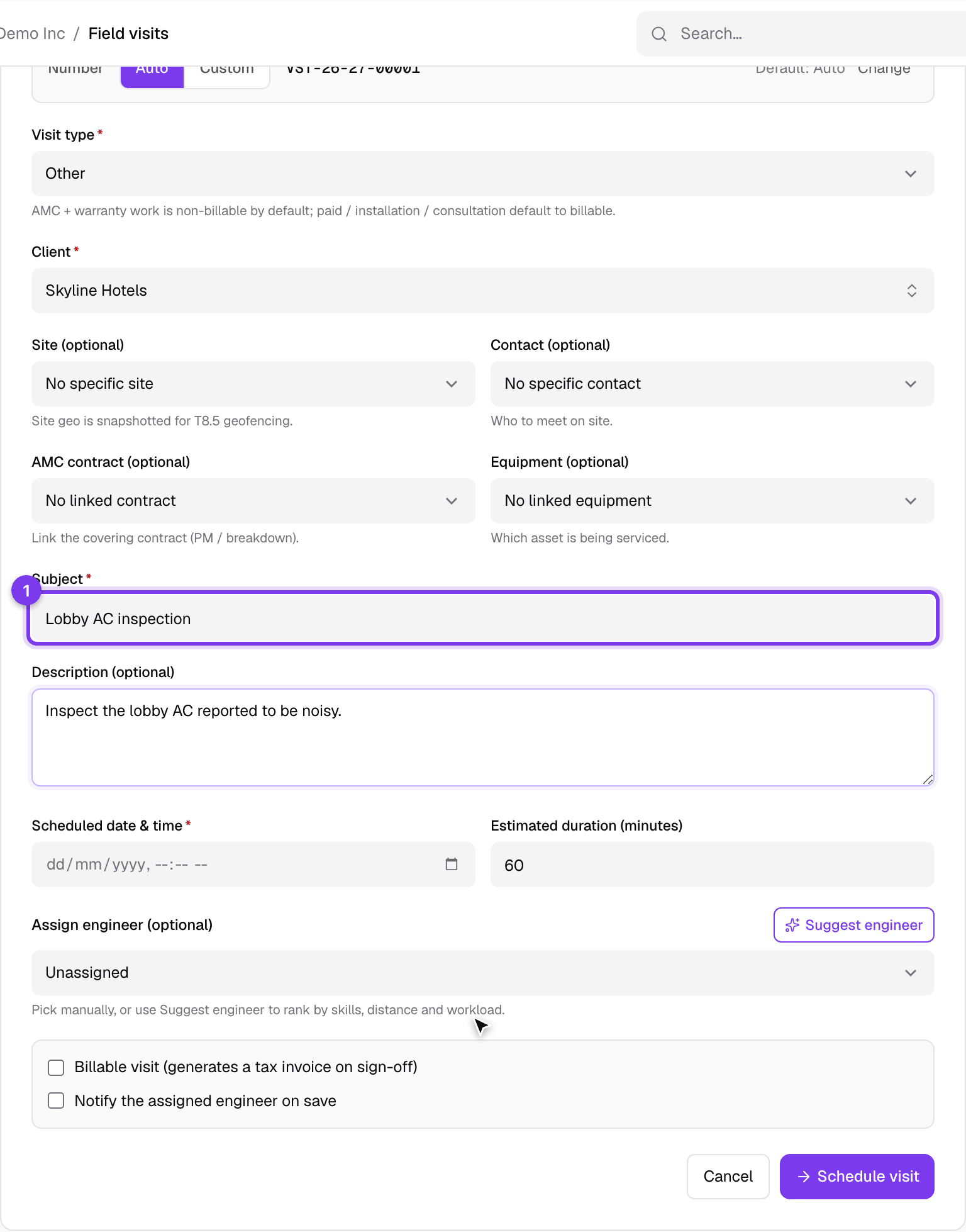
Click the new button and plan the visit:
- Pick the client (and the contact and site).
- Write the subject and a description of the job.
- Set the visit type, the scheduled date and time, and the expected duration.
- Assign an engineer. Suggest engineer proposes one based on skills and availability.
- Link the AMC or equipment if the visit is under a contract, mark it billable if the client is charged for it, and choose whether to notify the engineer.
Following a visit
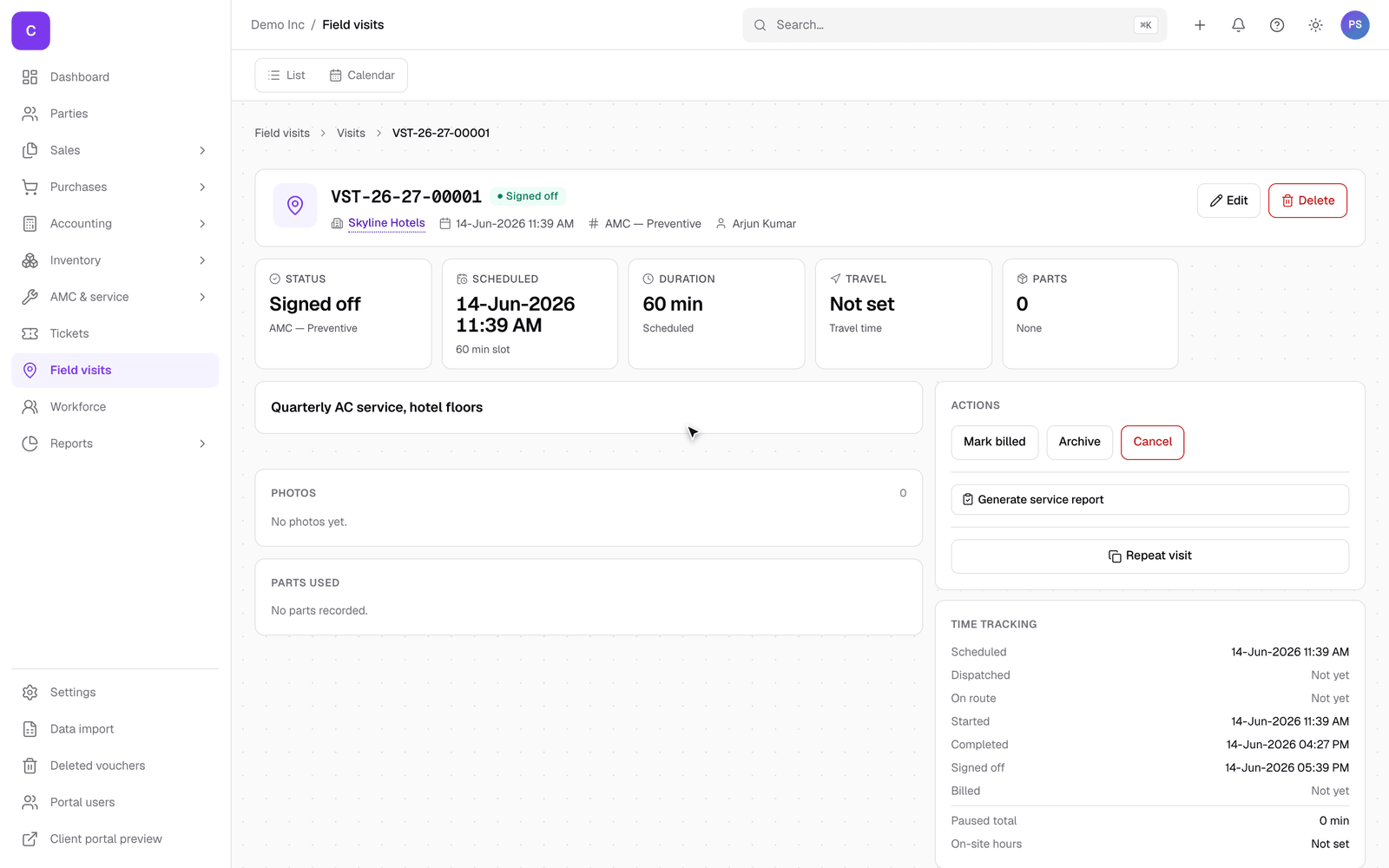
Open a visit to follow it through its stages, using the buttons on the action bar:
- Dispatched: the engineer is sent.
- On route and then started: the engineer is travelling, then working. On the mobile app the engineer moves it along themselves.
- Completed: the work is done.
- Signed off: the client has confirmed the work on site.
Along the way the visit collects the parts used, photos, and a full timeline of timings, from scheduled through dispatched, on route, started, completed and signed off, to billed. So the finished visit is a complete record. From a signed-off visit you can Generate service report, Repeat visit, and, when it is a billable visit, turn it into an invoice.
Good to know
- The calendar view shows everyone's visits for the week, which is the easiest way to balance the load and spot gaps.
- A billable visit can flow into an invoice, so on-site work turns into a bill without re-entering anything.
- Engineers run their day from the mobile app: they see their assigned visits, check in on site, record parts and photos, and capture the client's signature.