Bank reconciliation
Reconciling means checking that the money shown in your bank matches what you have recorded in ClientOS. You import the bank's statement, and ClientOS lines it up against the receipts and payments you already entered, so you can confirm the matches in a few clicks and spot anything missing.
Bank reconciliation is under Accounting, then Bank reconciliation.
Before you start
You need at least one bank account set up. If the account picker is empty, add your account first under Settings, then Banking. The demo company already has one.
Import your statement
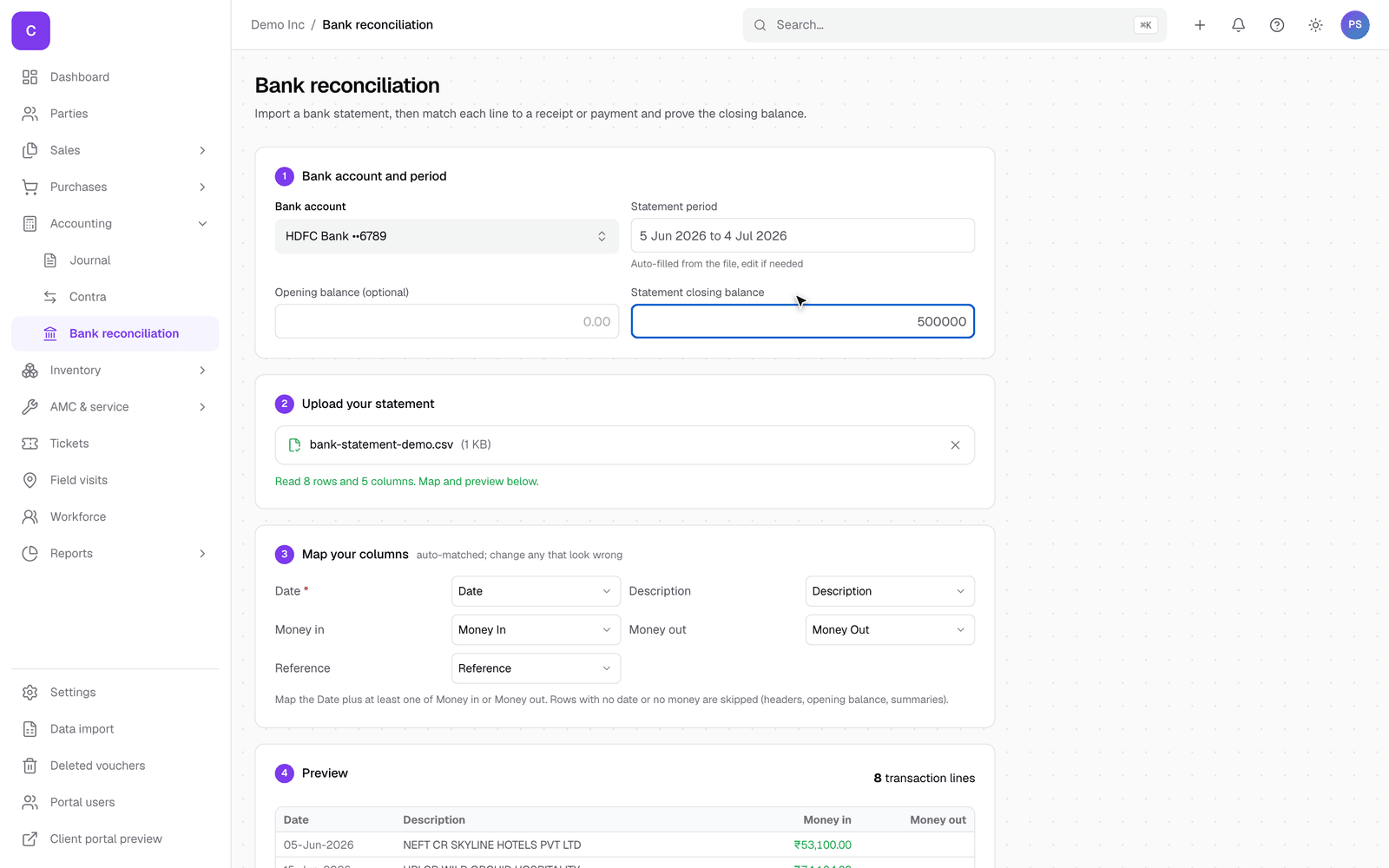
- Pick the Bank account the statement belongs to.
- Download the statement from your bank as a CSV or Excel file and upload it. ClientOS reads the rows and shows how many it found.
- The statement period fills in from the file; enter the closing balance shown on the statement so ClientOS can tell you when everything ties out.
- Check the column mapping. ClientOS auto-matches common headings (Date, Money in, Money out); change any that look wrong.
- Review the preview and click Import.
Match the lines
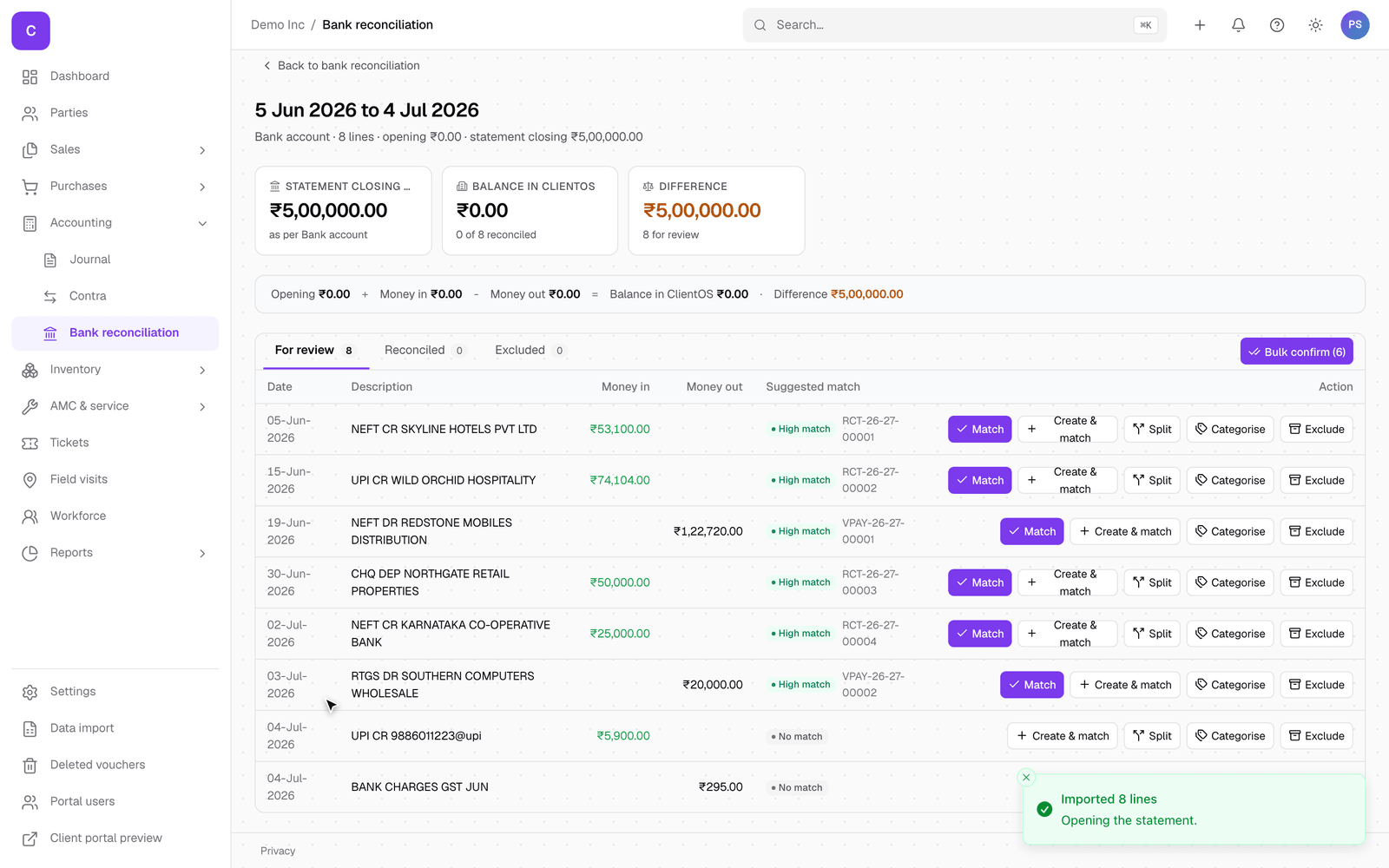
The statement opens as a worklist. Each line shows a confidence tag and its suggested match, a receipt or payment of the same amount you already recorded.
- Match confirms a single suggested line.
- Bulk confirm at the top right confirms every high-confidence match in one click, which is usually most of the statement.
- Create and match records a receipt or payment for a line you had not entered yet.
- Split applies one bank line across several invoices.
- Categorise files a line that is not against an invoice, like bank charges, to an account (and can remember the rule for next time).
- Exclude drops a line you do not want to reconcile.
The header keeps a running score: the statement closing balance, the balance in ClientOS, and the difference. When the difference reaches zero, the statement is fully reconciled.
Good to know
- ClientOS only suggests a match when the amount lines up with something you recorded, so a suggestion is a genuine confirmation that the money moved, not a guess.
- Lines with no match are the useful ones to look at: they are usually money in or out that has not been entered in ClientOS yet, or a bank charge to categorise.
- You reconcile one statement period at a time; the list of past statements stays on the bank reconciliation page.