Tickets
A ticket is a support request from a client: a complaint, a breakdown, a question. Tickets keep every request in one queue so nothing is forgotten, track how long they take against your service promises, and hold the full conversation with the client in one thread.
Tickets are under Tickets in the left menu.
Logging a ticket
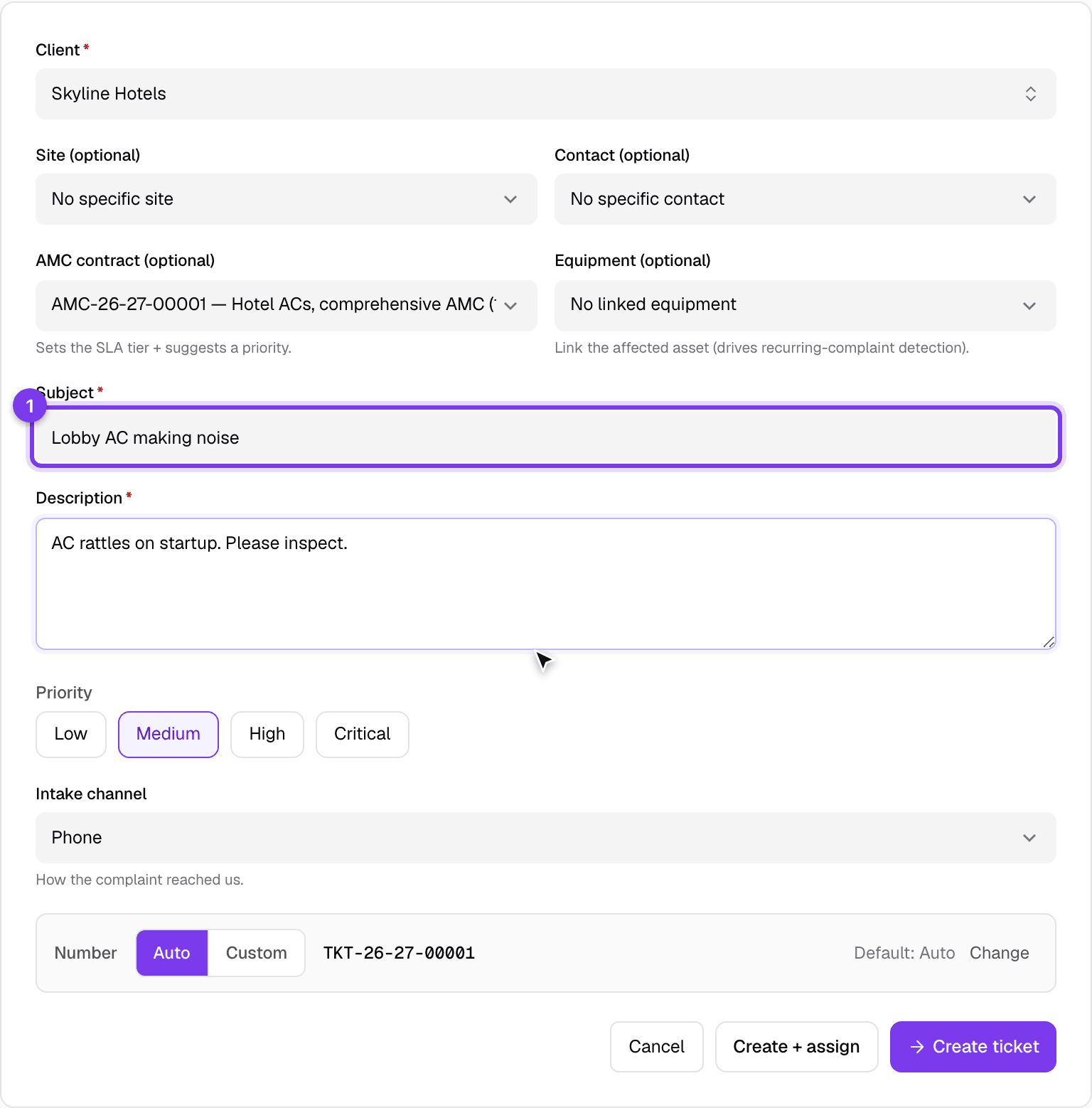
Click the new button and record the request:
- Pick the client (and their contact and site, if relevant).
- Write a short subject and a fuller description of the problem.
- Set the priority. If the ticket relates to a contract or a specific machine, link the AMC or equipment so the history stays connected.
- Save it, or save and assign it to an engineer straight away.
Working a ticket
Open a ticket to work it. Its page has three things you use most:
- Status and SLA: where the ticket stands and how it is doing against your response and resolution targets. Acknowledging a ticket stops the response clock.
- Assign: hand the ticket to an engineer, with the option to notify them.
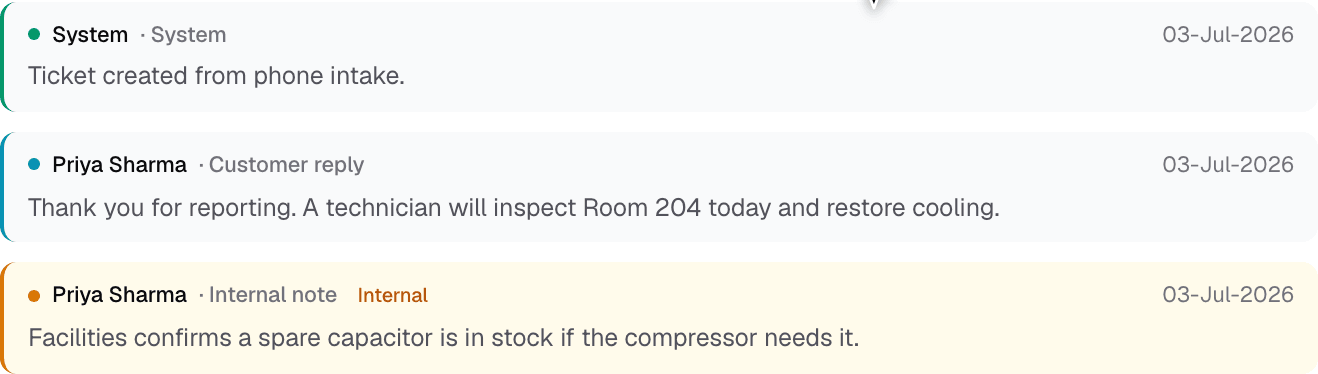
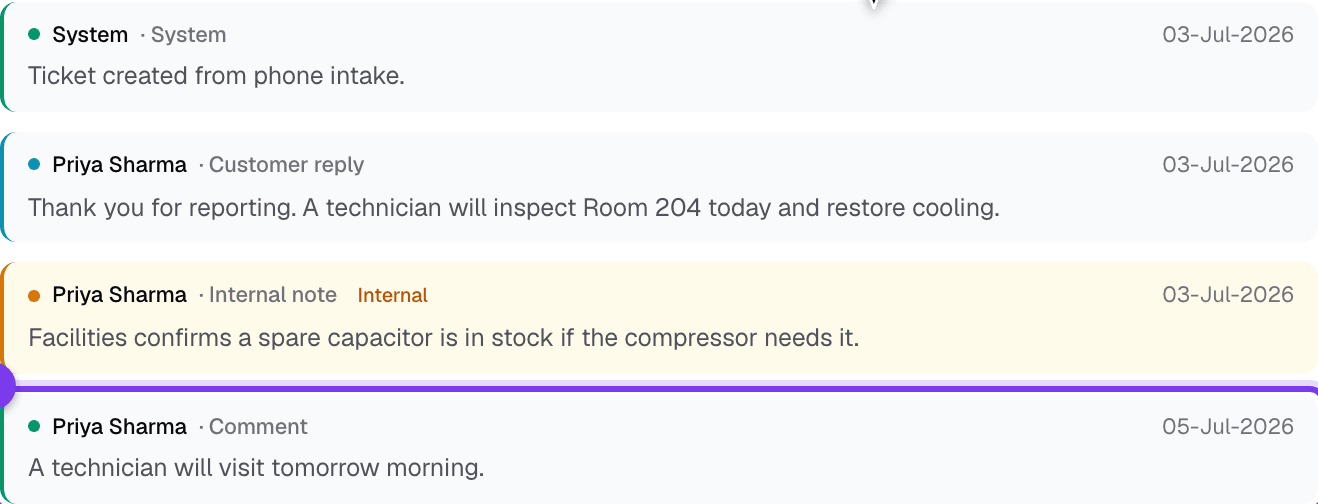
- The thread: the running conversation. This is where you reply.
Replying
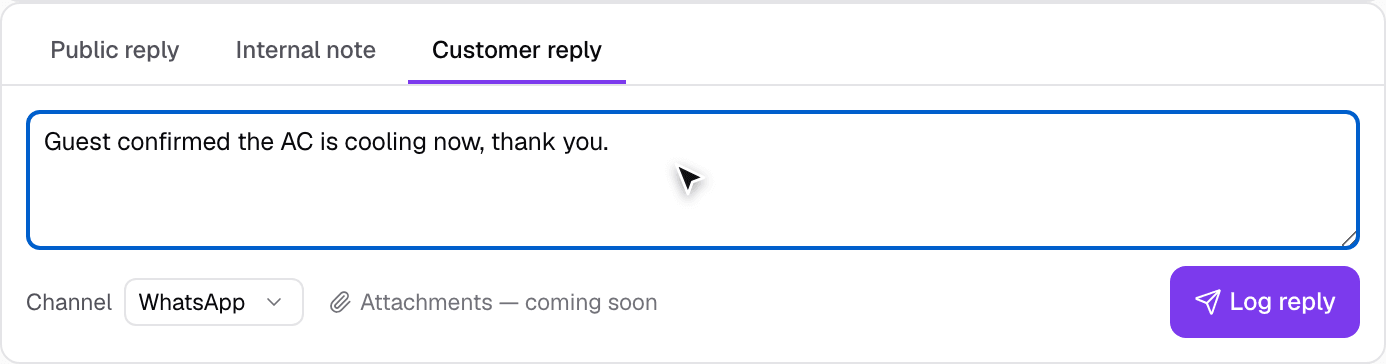
The reply box has three tabs:
- Public reply: the client sees this. Use it to update them.
- Internal note: a private note for your team; the client never sees it.
- Customer reply: when the customer tells you something by phone, WhatsApp or email, log it here. Pick the channel and type what they said; it lands in the thread as a customer message so the whole conversation stays in one place, even the parts that happened off the system.
Type your message, choose the tab, and click Post reply (or Log reply for a customer reply). You can also share the ticket with the client from the same page: Copy tracking link gives them a link to follow it, and Send on WhatsApp opens a message to them.
Resolving
As the work progresses, use the buttons on the header: Put on hold to pause it, and Resolve once the problem is fixed. Because the whole thread and the SLA timings stay on the ticket, you always have a complete record of what happened and how quickly.
Good to know
- Every reply, status change and assignment is kept on the ticket, so a new team member can pick it up and see the whole story.
- Linking a ticket to a client, contract or machine means it also shows up on that party's and that contract's pages.
- A client can raise a ticket themselves from the portal; it lands in the same queue.