Client portal
The client portal is a private page each of your clients can log into to see their own account: their invoices, quotations, contracts and service history, and to raise a request without phoning you. It is your business, with your branding, seen from the client's side.
What your client sees
When a client logs in they land on a dashboard for their account:
- Amount due and a one-tap way to see their statement or raise a dispute.
- Account health: their active contracts, sites covered, open issues, and last service.
- Quick actions: raise a complaint, request a quote, view invoices, or start a chat.
- Their invoices, quotations, AMC contracts, service reports, complaints, equipment and documents, each on its own tab.
Everything they see is their own data only; a client never sees another client's information.
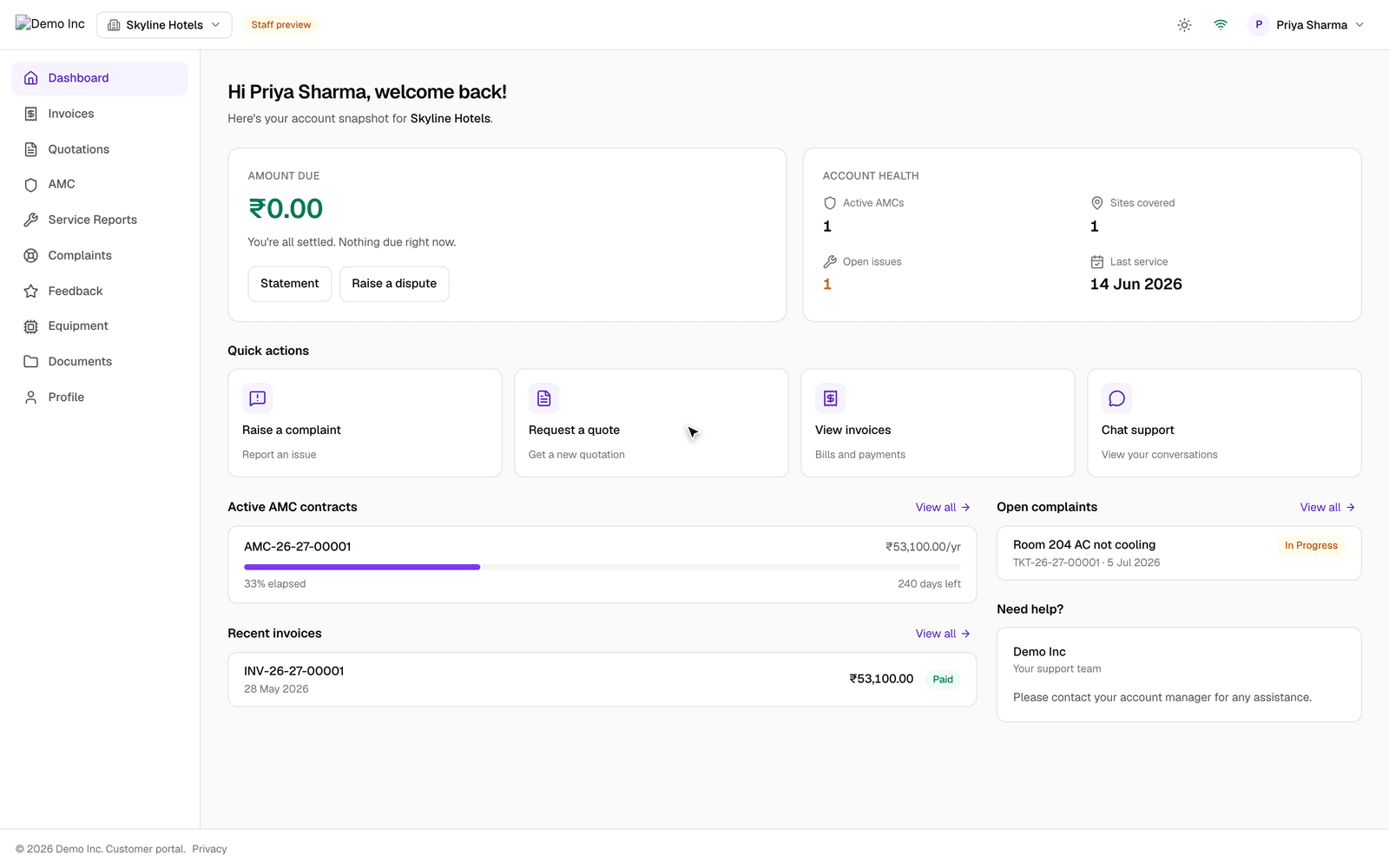
You can look at the portal exactly as a client sees it without logging out: the Client portal preview link at the bottom of the menu opens it in a staff preview, which is how the picture above was taken.
Giving a client access
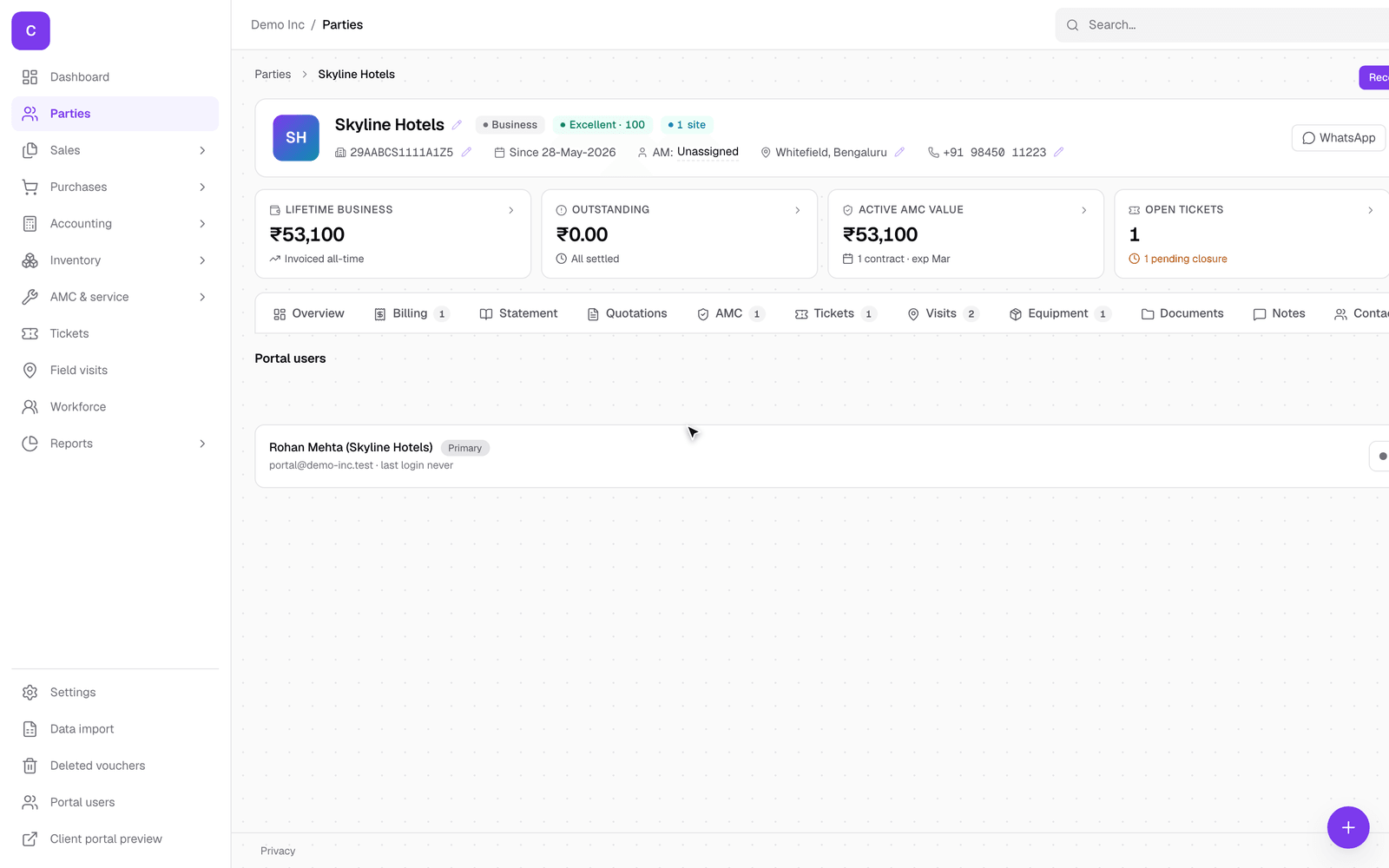
Access is per client. Open the client, go to the Portal tab, and you will see who already has access and can invite someone new.
Inviting a portal user takes their name and email and creates their login. You choose how they receive it (an email link, a password you set, or an auto-generated one) and which role they have. Once invited, they appear in the Portal users list with their role and last login, and you can set what each one is allowed to do, such as raising tickets or approving quotations.
Good to know
- The portal shows the same figures you see, drawn from the same records, so there is never a second set of numbers to keep in step.
- A request raised in the portal (a complaint, a quote request) lands in your queue as a ticket or an enquiry, so nothing falls through.
- Because access is per client and per person, you can give a client's accounts contact a login without giving it to everyone there.